We have all been there. You are cruising down the highway, traffic suddenly bunches up ahead, and your foot instinctively stomps on the brake pedal. In that split second, you aren't thinking about hydraulics, friction coefficients, or metallurgy. You just want the car to stop.
Your braking system is the single most important safety mechanism on your vehicle, period. When it works, you don't even think about it. When it struggles, every second on the road feels like a roll of the dice. Federal crash data from the NHTSA shows that mechanical failures cause tens of thousands of crashes, and brake failures account for roughly 22 percent of those mechanical wrecks.
Even minor brake wear adds up faster than you might realize. Safety research from AAA found that worn brakes and worn tires can easily add 20 to 40 feet or more to your stopping distance at 60 mph.¹ That is the difference between stopping safely behind a crossover and ending up in its trunk.
With today's heavier electric vehicles and full-size SUVs dominating the roads in 2026, brake systems take an absolute beating. Staying ahead of wear isn't just about avoiding a hefty mechanic bill. It is about keeping you and your passengers safe.
Here are the five biggest warning signs that your vehicle is begging for a brake inspection.
1. Squealing and Grinding Noises
Brakes are not meant to be quiet all the time, but they have a distinct language when something goes wrong. If you tap the pedal and hear a piercing, high-pitched screech, your vehicle is trying to tell you something specific.
Most modern brake pads feature a tiny spring-steel clip called an acoustic wear indicator. When your friction pad wears down to about 3 millimeters, this metal finger starts scraping against the cast-iron rotor face.³ Think of it as a built-in alarm clock. It doesn't mean your brakes have completely failed yet, but it does mean your maintenance window is closing fast.
What happens if you crank up the stereo and ignore that screech? You will soon meet the grind.
A harsh, metallic grinding noise means the friction composite is completely gone. You are now pressing the raw steel backing plate directly into your cast-iron rotor. At this stage, you are causing severe rotor damage with every stop, generating massive heat, and dramatically increasing your stopping distance. If you hear grinding, pull over. Continuing to drive can push the caliper pistons past their seals, leading to total hydraulic failure.
2. A Soft or Spongy Brake Pedal
When you press the brake pedal, it should feel firm and provide immediate resistance. If your foot sinks toward the floorboard like you are stepping into a bowl of wet oatmeal, something is seriously wrong with your hydraulic system.
So what causes this spongy sensation? The two main culprits are trapped air and contaminated fluid
• Moisture buildup: Standard DOT 3 and DOT 4 brake fluids are hygroscopic, which means they naturally suck moisture out of the air over time. After a couple of years, the water content lowers the boiling point of the fluid from over 400 degrees to below 280 degrees. When you hit the brakes hard, the fluid literally boils, creating steam pockets that compress under your foot.
• Air in the lines: Brake lines must be completely sealed vacuum-filled only with liquid. Because liquids do not compress, foot pressure transfers instantly to the wheels. Air, on the other hand, compresses easily. If air slips through a loose bleeder valve or a degraded hose, your pedal will sink without slowing the car down properly.
• Failing master cylinder: If the internal piston seals in your brake master cylinder break down, fluid bypasses the internal chambers instead of building pressure. You might notice the pedal slowly creeping toward the floor while sitting stopped at a red light.
A soft pedal means delayed stopping power. Do not gamble with it.
3. Vibrations and Pulsing During Stops
Have you ever hit the brakes on a highway off-ramp and felt a rapid pulsing through your foot, or watched the steering wheel shake back and forth? Many drivers assume they have warped rotors.
Realistically, modern cast-iron brake discs rarely bend or warp out of shape under normal driving conditions. What you are actually feeling is Disc Thickness Variation, or DTV.⁴
Rotors need to be flat and uniform down to microscopic measurements. Variations as tiny as 0.010 millimeters across the rotor face are enough to produce intense pedal pulsations.⁴ This happens when brake pads deposit uneven layers of friction material onto the rotor surface, often after getting overheated in stop-and-go traffic.
You can often diagnose the issue based on where you feel the shake
• Steering wheel flutter: If the steering wheel shivers in your hands when you brake, the problem almost always sits on your front axle.
• Pedal vibration only: If the pedal kicks against your foot but the steering wheel stays rock steady, the uneven wear is typically isolated to your rear rotors.
Leaving this alone will wear out your steering components, ball joints, and suspension bushings over time. A technician can measure the rotor face with a specialized micrometer to tell you if the disc can be resurfaced on a lathe or if it needs to be scrapped.
4. Pulling to One Side Although Braking
Your car should track straight as an arrow when you slow down. If you press the brake pedal and the car suddenly dives or pulls toward the left or right shoulder, your braking forces are completely out of balance.
One side of the car is gripping the road, while the other side is slipping off.
The most common reason for this pulling sensation is a seized caliper slide pin or a stuck hydraulic piston. Brake calipers float on greased guide pins that allow the pads to clamp and release smoothly. If road salt and grime dry out that grease, the pin freezes. The brake pad on that wheel stays permanently stuck or fails to clamp down with enough force.
Another sneaky culprit is a failing flexible brake hose. Over the years, the inner rubber liner of the hose can collapse internally. It acts like a tiny check valve, letting fluid flow into the caliper under high pedal pressure, but refusing to let it return. That single wheel stays locked up, dragging the car toward that side and generating intense heat.
5. Dashboard Lights and Visual Pad Checks
Modern dashboards feature warning lights for a reason. If your red brake warning light or amber ABS light pops on, do not treat it like background scenery.
The red light often signals low hydraulic fluid levels or an engaged parking brake switch. The ABS light indicates that your anti-lock controller detected a faulty wheel speed sensor or valve issue. Although standard mechanical braking usually still functions when the ABS light glows, you lose your emergency anti-skid protection.
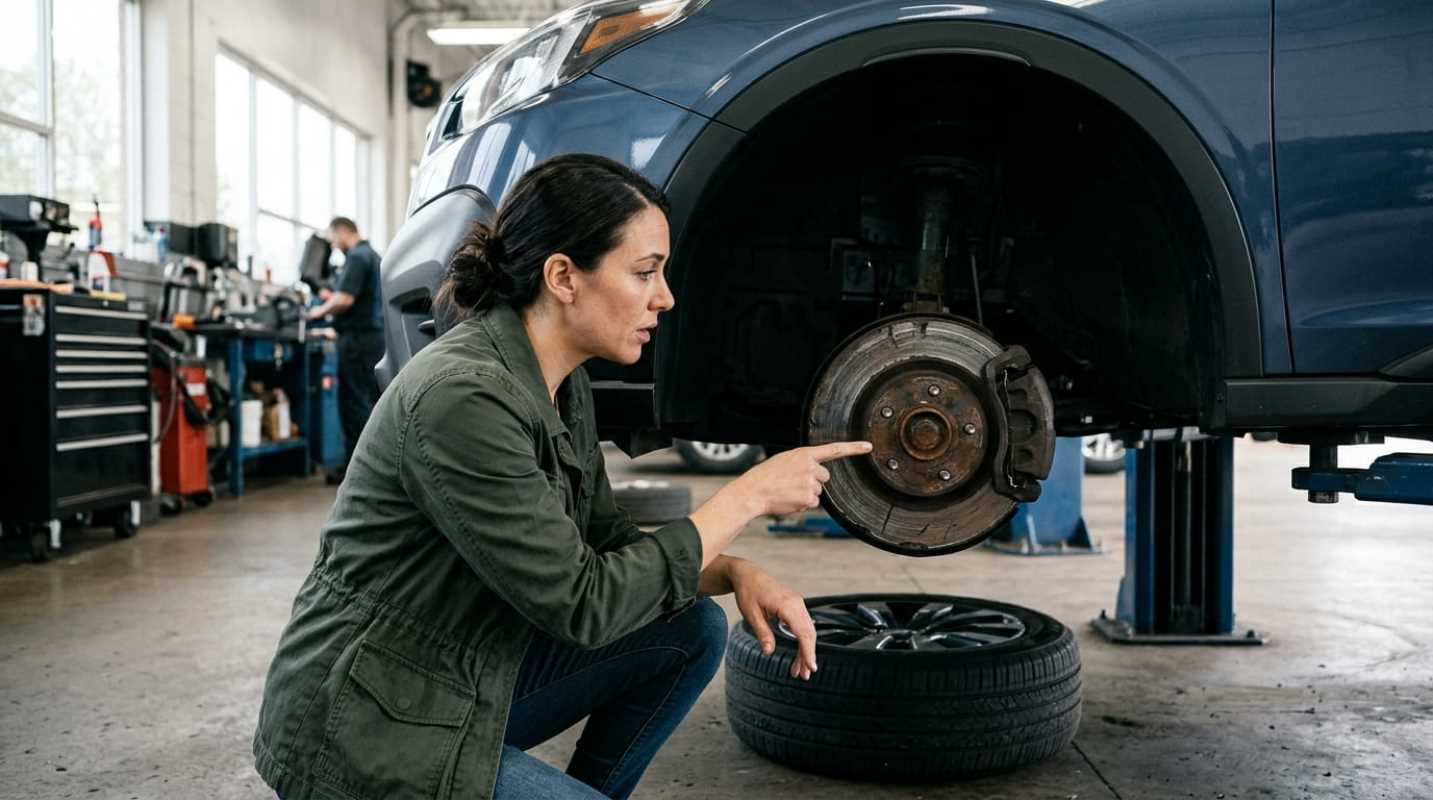
Beyond dashboard electronics, you can check your own brake pads right through the spokes of most alloy wheels
• Green zone (8 mm to 12 mm): Brand new to healthy. You have plenty of friction composite available.
• Yellow zone (4 mm to 6 mm): Noticeable wear. Start budgeting for a replacement set within your next few oil changes.
• Red zone (3 mm or less): Important replacement territory.³ Your wear indicators are on the verge of contacting the rotor.
Always make sure to check both the inner and outer pads. It is very common for the outer pad to look healthy at 6 millimeters while the hidden inner pad is worn down to the bare steel because of a sticking slide pin.
Keeping your brakes in great shape comes down to regular inspections and not ignoring strange noises. Have your mechanic measure your friction pads with an inspection gauge at every tire rotation, flush your brake fluid every two to three years, and address odd vibrations early. Catching a sticking caliper or thin set of pads today will save your rotors, protect your wallet, and keep you safe behind the wheel.
Sources:
1. AAA Tire and Brake Study
https://newsroom.aaa.com/wp-content/uploads/2019/06/Tire-Study-Report.pdf
2. When to Replace Brake Pads
https://myapexdriver.com/articles/when-to-replace-brake-pads-mm
3. Brake Rotor Runout and Thickness Variation Explained
https://corebrakeparts.com/blogs/tech-info/brake-rotor-runout-and-thickness-variation-explained